 WillisMD Pro · markdown editor
The professional markdown editor
that never leaves your desk.
Built for serious writers, developers, and knowledge workers. Your documents stay on your device, always — with WYSIWYG live preview, built-in git sync, a knowledge graph, presentation mode, and professional export. Rebuilt on a native core: dramatically smaller, and fast enough that you stop noticing the editor.
A bigger release than usual
The whole app was rebuilt on a native core, and the pieces that used to be missing are now built in.
Built-in git sync
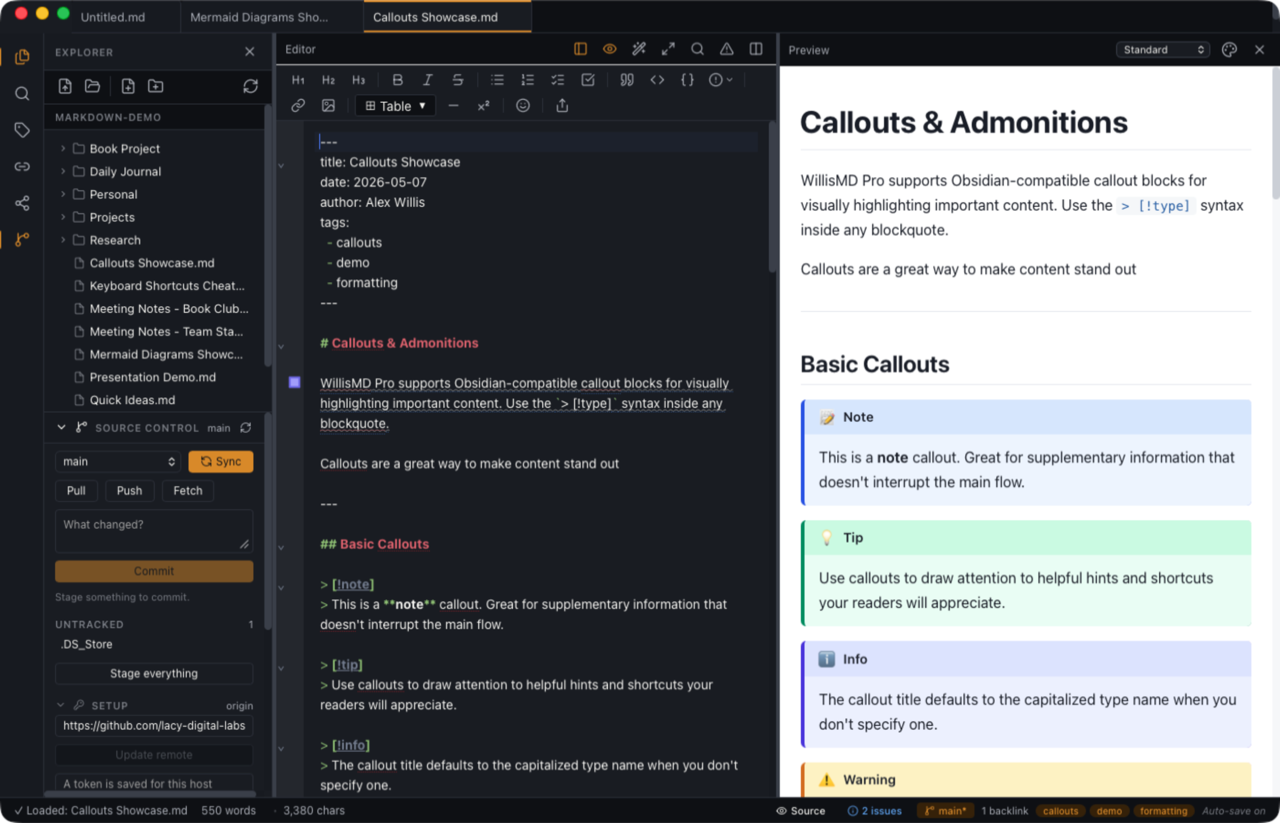
Clone, commit, pull, push and sync from the Source Control panel — no command line, no separate git install. Your access token lives in the system keychain.
WYSIWYG live preview
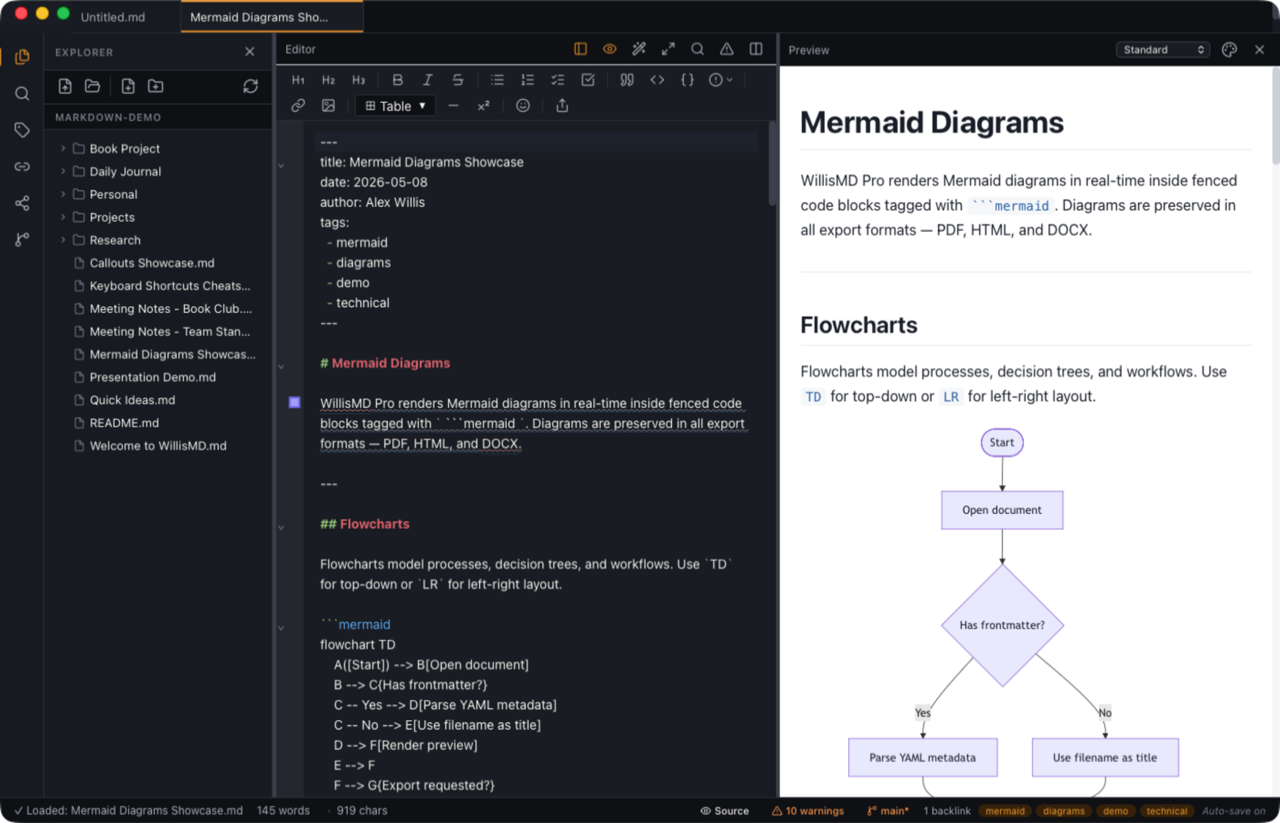
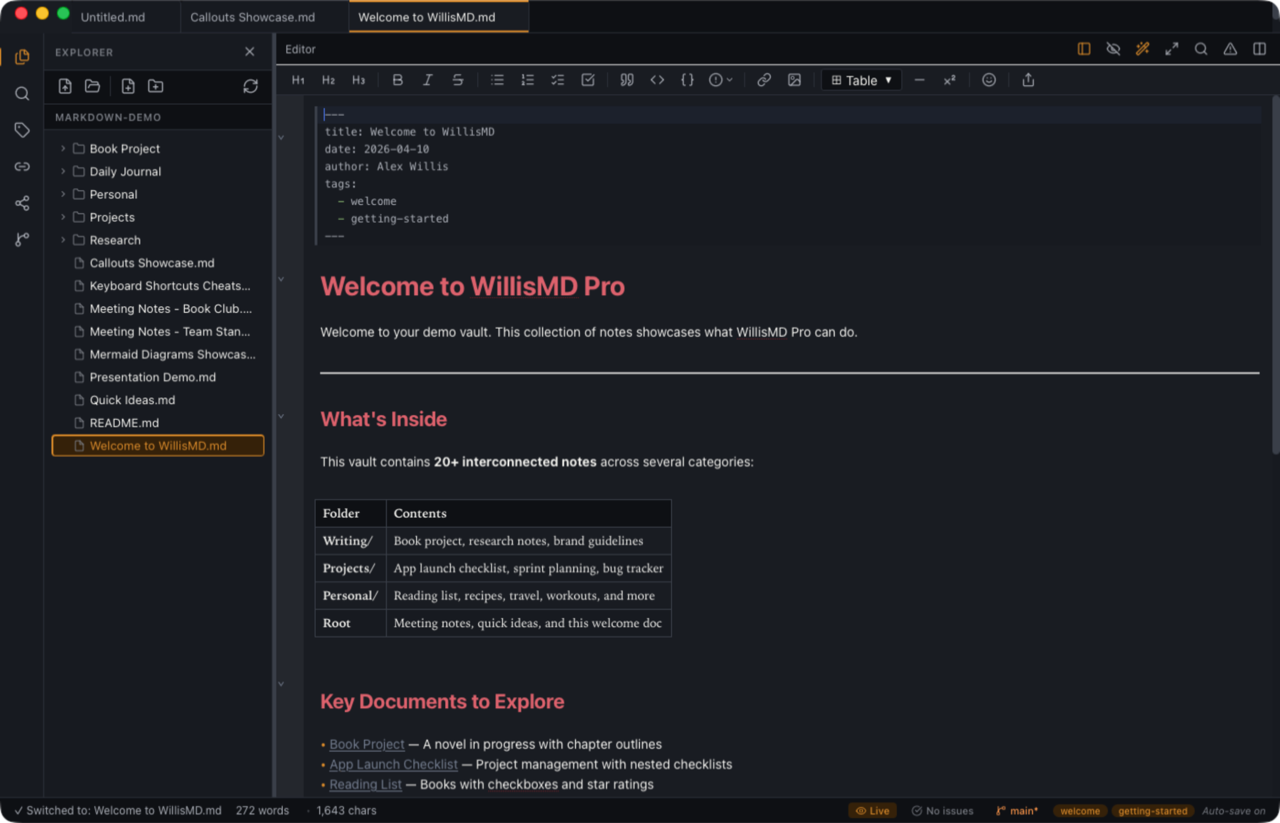
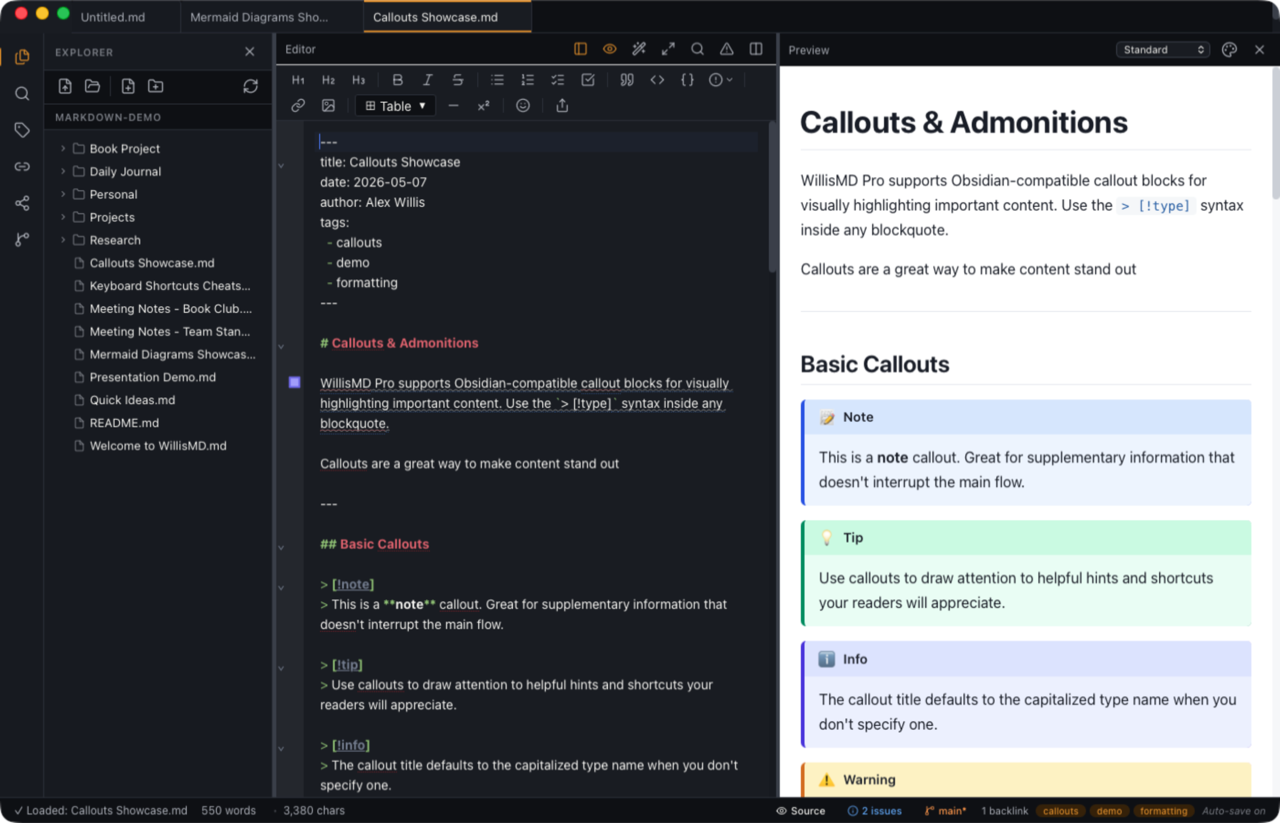
Headings, bold, lists, tables, code, images and callouts render inline as you type; the raw markdown reappears the moment you click a line to edit it. Now a first-class mode on the View menu.
Faster, and far smaller
A new native core replaced the old runtime. The app takes a fraction of the disk space, starts almost instantly, and stays quick in large vaults — same private, local-first design.
WillisMD Pro for iPad
The Apple purchase is now universal: one price covers Mac and iPad. Out now on the App Store — see what it does.
A professional writing environment
Powerful features for professionals
Everything you need for professional writing, knowledge management, and document creation.
Advanced editor
- WYSIWYG live preview, or classic source + preview pane
- Syntax highlighting with beautiful themes
- Split editor view (horizontal & vertical)
- Multiple cursors & regex find/replace
- Code folding, line numbers & word wrap
- Real-time markdown linting
- Command palette for every command
Built-in git sync
- Clone, commit, pull, push & sync in-app
- Source Control panel — no command line
- Clone Repository… opens a repo as a vault in one step
- Tokens stored in the system keychain
- Works with GitHub, GitLab & any HTTPS remote
- Or sync with iCloud, OneDrive or Dropbox instead
Knowledge management
- Wiki-style bidirectional linking
- [[ autocomplete with hover previews
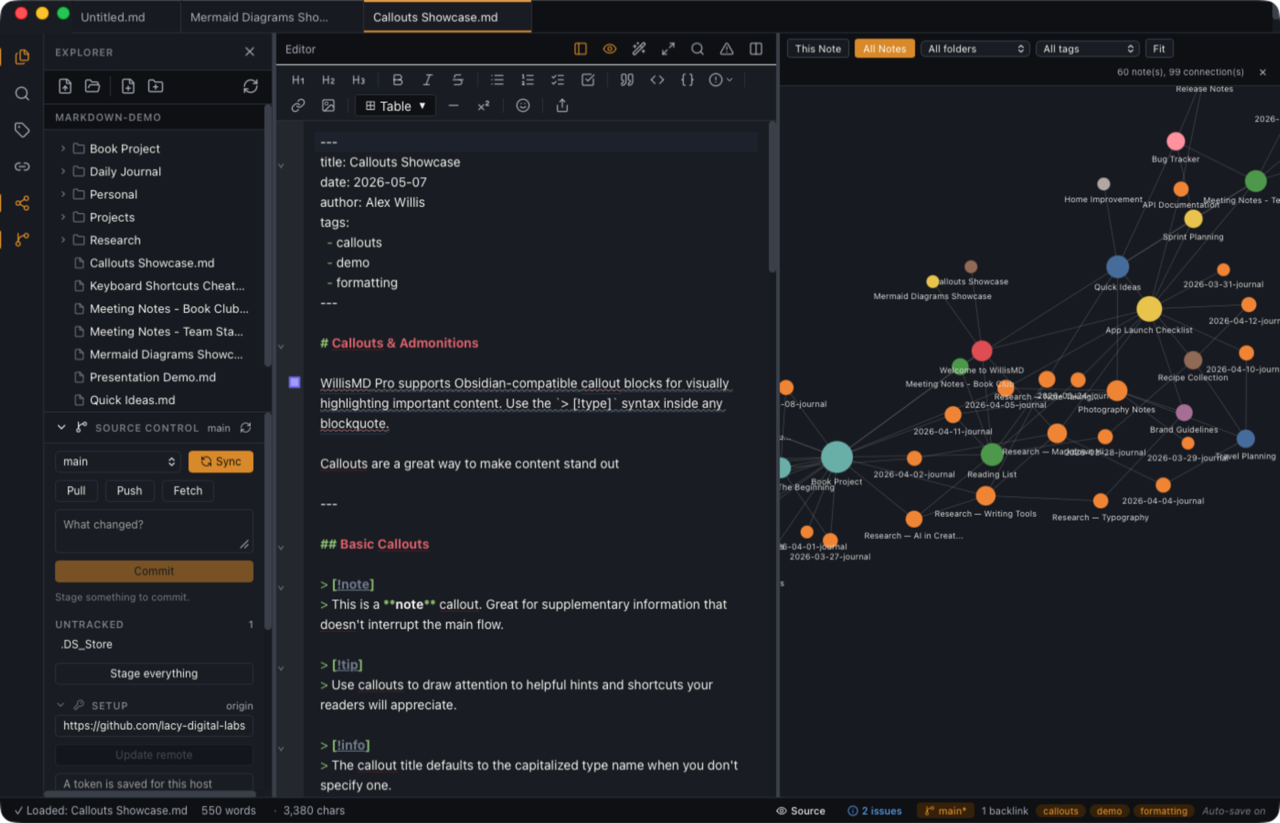
- Interactive knowledge graph
- Backlinks panel with context snippets
- Tag system with cloud view & filtering
- Advanced full-text search
- Frontmatter YAML support
Writing tools
- Focus Mode for distraction-free writing
- Typewriter mode keeps your line centered
- Writing goals with progress tracking
- Word count & reading-time stats
- Daily Journal with structured templates
- Quick Notes with a keyboard shortcut
- English, Spanish, French, Italian & German
Presentation mode
- Add
slides: trueand split on--- - Full-screen presenting with slide transitions
- Presenter view with next slide & speaker notes
- Timer on your second display
- Diagrams, callouts & code render on slides
- Export the whole deck to PDF
Rich markdown
- Callouts & admonitions (12 built-in types)
- Interactive todo lists with checkboxes
- Footnotes with auto-numbering
- Tables with alignment support
- Code blocks with syntax highlighting
- Inline, reference & auto-detected links
- Mermaid diagrams — flowcharts, sequence & Gantt
Professional export
- Export to PDF with native rendering
- Export to DOCX for Word compatibility
- Export to ePub — one document, or a folder as a chaptered book
- Export to HTML with theme styling
- Theme-aware export output
- Multi-tab interface & auto-save
- Supports .md, .markdown & .txt
Fast & lean
- Rebuilt on a native core — no bundled browser runtime
- A fraction of the disk footprint it used to take
- Near-instant launch, light on memory
- Fast vault scanning for tags, links & search
- Atomic saves on every write
- Stale-write protection when a file changes outside the editor
Privacy first
- 100% local-first — files never leave your device
- Zero data collection or telemetry
- No analytics, tracking, or advertising
- No accounts, no servers we run
- Git and cloud sync go where you point them
- Read our Privacy Policy
WillisMD Pro for iPad
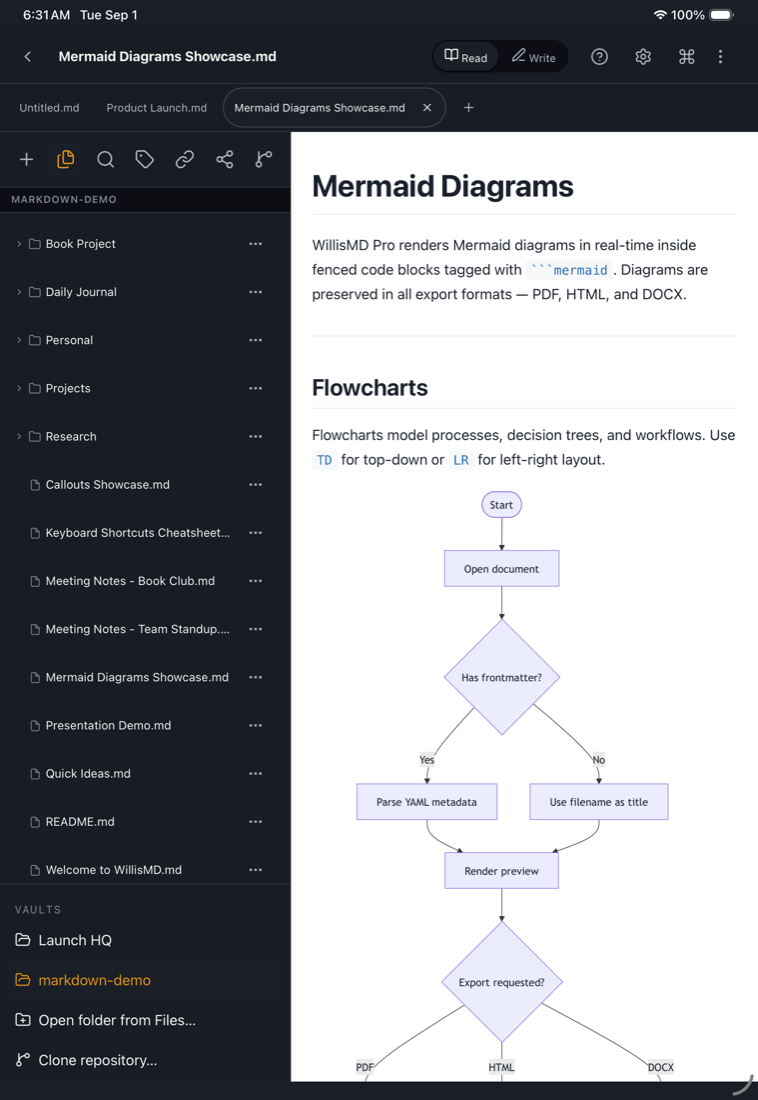
One purchase, both devices. The iPad app is included with the Apple version at no extra cost — a touch-first way to read your knowledge base and write wherever you think.
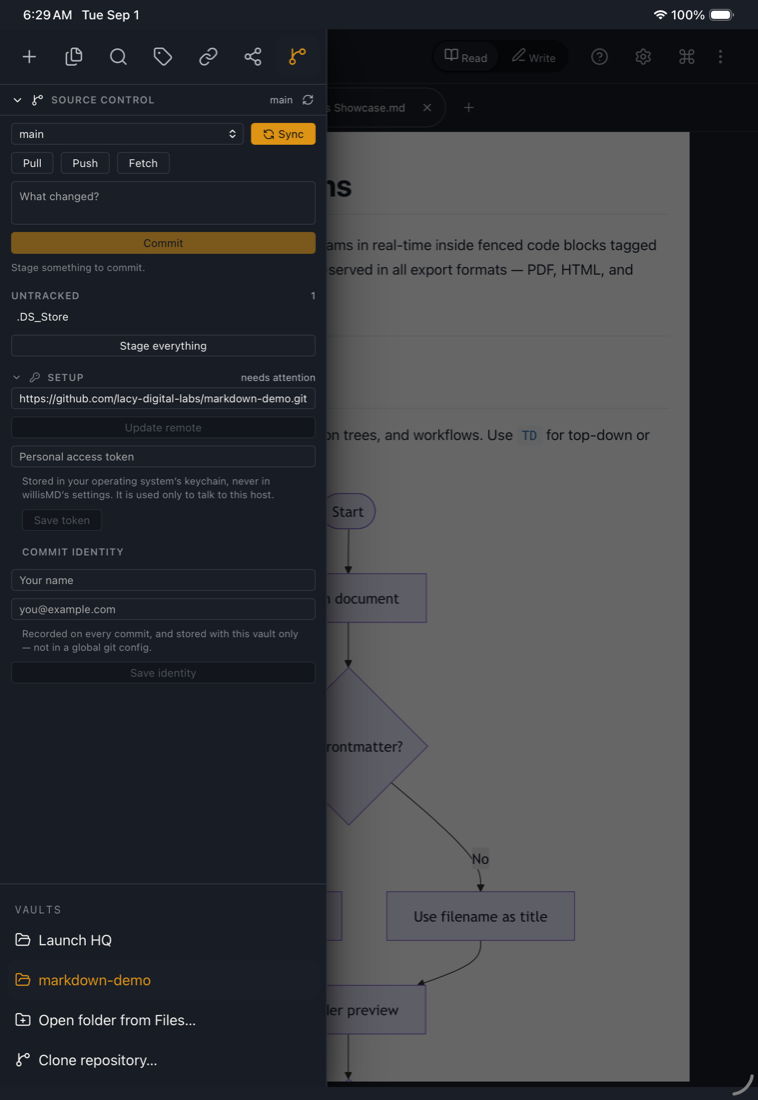
Your vaults, on iPad
- Open any Files-app folder as a vault
- iCloud Drive included — offline notes fetch as you read
- Or clone a git repository straight onto the iPad
- Commit, pull, push & sync from Source Control
Built for touch
- Sidebar you can pin as a column or tuck away
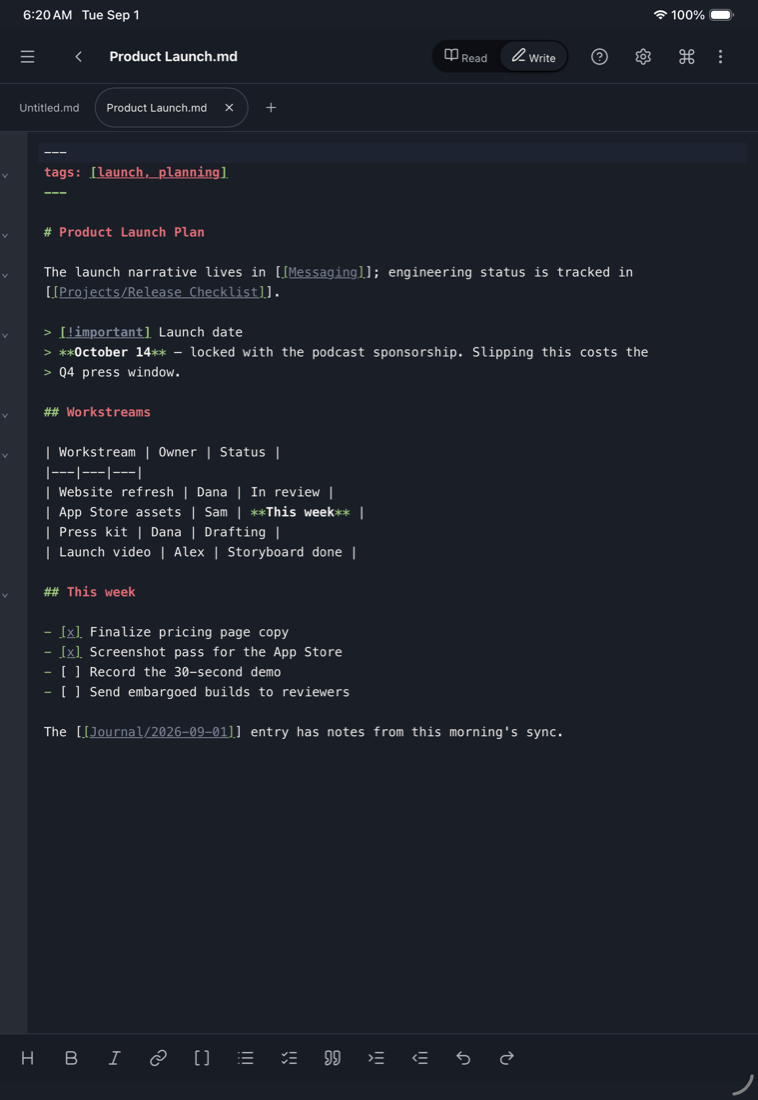
- Read ⇄ Write toggle and chip tabs
- Formatting toolbar rides the on-screen keyboard
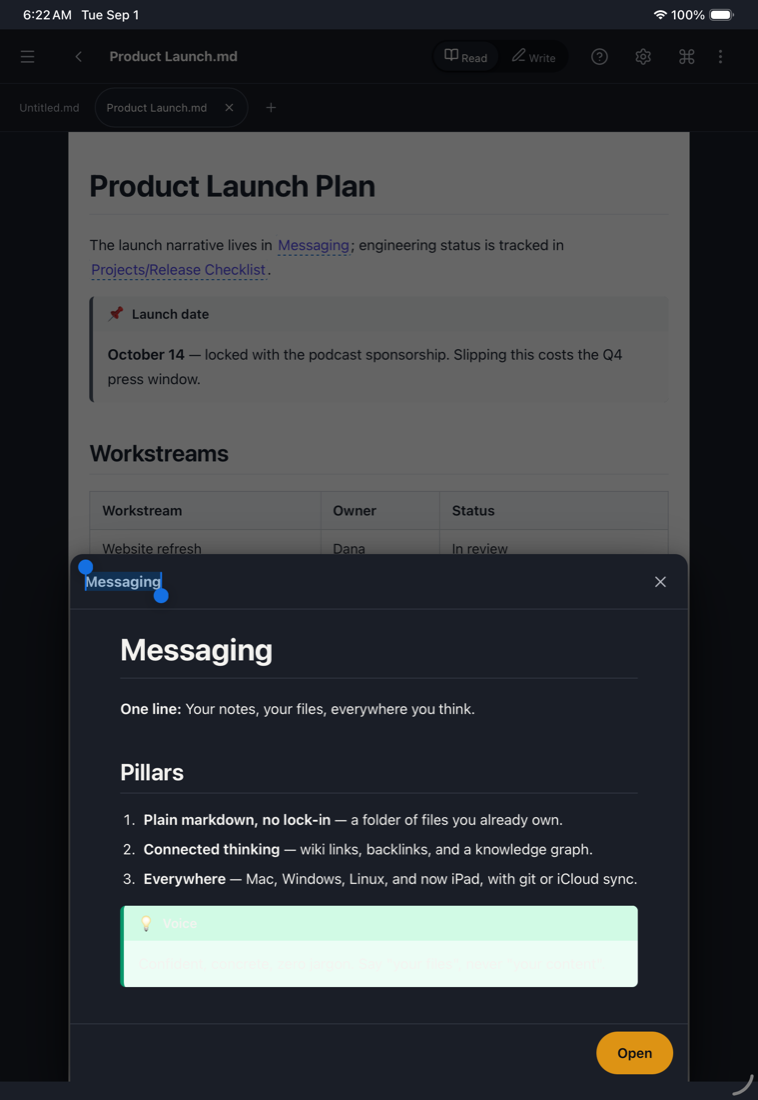
- Long-press any [[wiki link]] to peek before you open it
- Reader text sizing and your preview themes
- Native spell-check and background autosave
Capture anywhere
- Share sheet capture from any app
- Siri & Shortcuts: create a note, append to your journal
- Search your vault or open a note by name
- The same shared core as the desktop app
Already bought WillisMD Pro for the Mac? The iPad app installs from that same App Store purchase — nothing more to buy.
Control exactly how your documents look
In the live preview, and in every export — through a visual editor or full CSS.
10 built-in preview styles · 10 editor color themes · or design your own, no CSS required
Perfect for every use case
Docs & READMEs
Write documentation and technical guides with syntax highlighting, code blocks, advanced search — and commit them without leaving the editor.
Focused drafting
Distraction-free Focus Mode, typewriter scrolling, writing goals, daily journaling, and export all the way out to ePub.
Connected notes
Build a knowledge base with wiki-style linking, graph visualization, backlinks, and tags — then present it as a slide deck.
Your vault, with an AI assistant at your side
AI Access lets an assistant on your computer — Claude Desktop, ChatGPT, Claude Code, LM Studio or Cursor — search, read and work with the notes in your vault, through the Model Context Protocol. It is off until you turn it on.
Choose how much it may do
- Read only, or propose changes you accept or reject
- Or let it create, append, edit — or move notes to the trash, asking first
- Ask before every write and a per-session limit
- Git pull, push & sync off unless you allow it
Every change reversible
- AI Activity shows each change with a diff and Undo
- Edits go through the editor, so ⌘Z undoes them
- A note with unsaved changes is never written to
63 tools, one private connection
- Search, links, backlinks, tags, templates & the daily note
- Move and rename with links updated; export; git history
- Each client gets its own key to revoke or rotate
- The connection never leaves your computer
Desktop only — arriving for Mac, Windows and Linux together, once it clears App Store and Microsoft Store review; not on iPad. Experimental. What an assistant reads goes to that assistant’s provider under its own terms — choose a model that runs locally if you want it to stay on your machine. Privacy Policy
Buy it once. It’s yours.
One-time purchase, per platform. No subscription. No account required.


U.S. prices. Pricing varies by country. Apple’s Universal Purchase means one $14.99 payment covers both Mac and iPad. No subscriptions, ever. Read our Privacy Policy →
Transform your writing
Join professionals using WillisMD Pro for knowledge management and serious writing.