 WillisMail · email, calendar & contacts
A delightful mail app,
on every device you use.
Email, calendar and contacts in one fast, private app for Mac, iPhone, iPad, Windows and Linux — with Android on the way. It works with the accounts you already have: iCloud, Gmail, Microsoft 365, and any service that speaks IMAP, CalDAV or CardDAV. It talks only to your own mail servers. There is no server of ours in the middle, ever.
The mail you already have
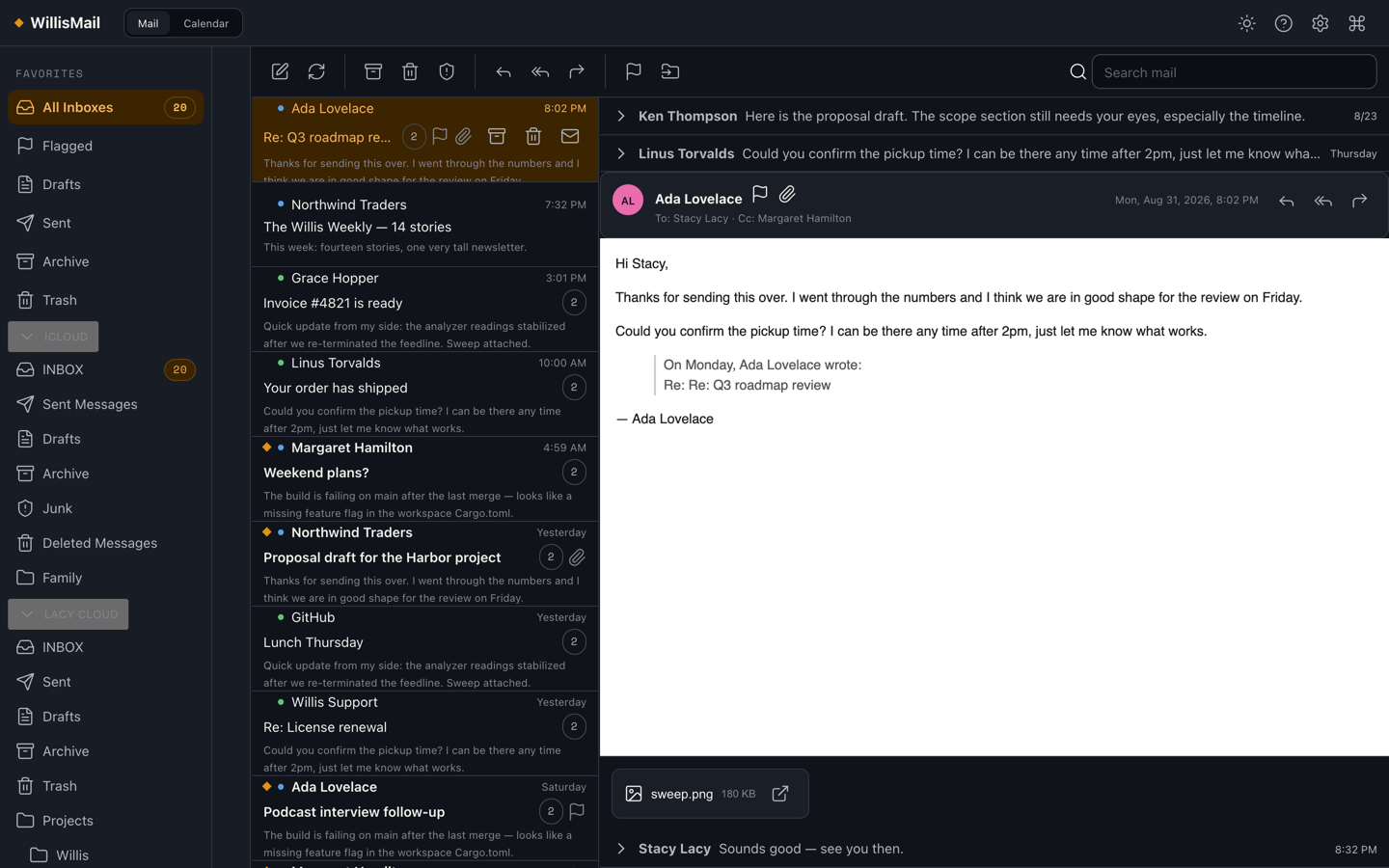
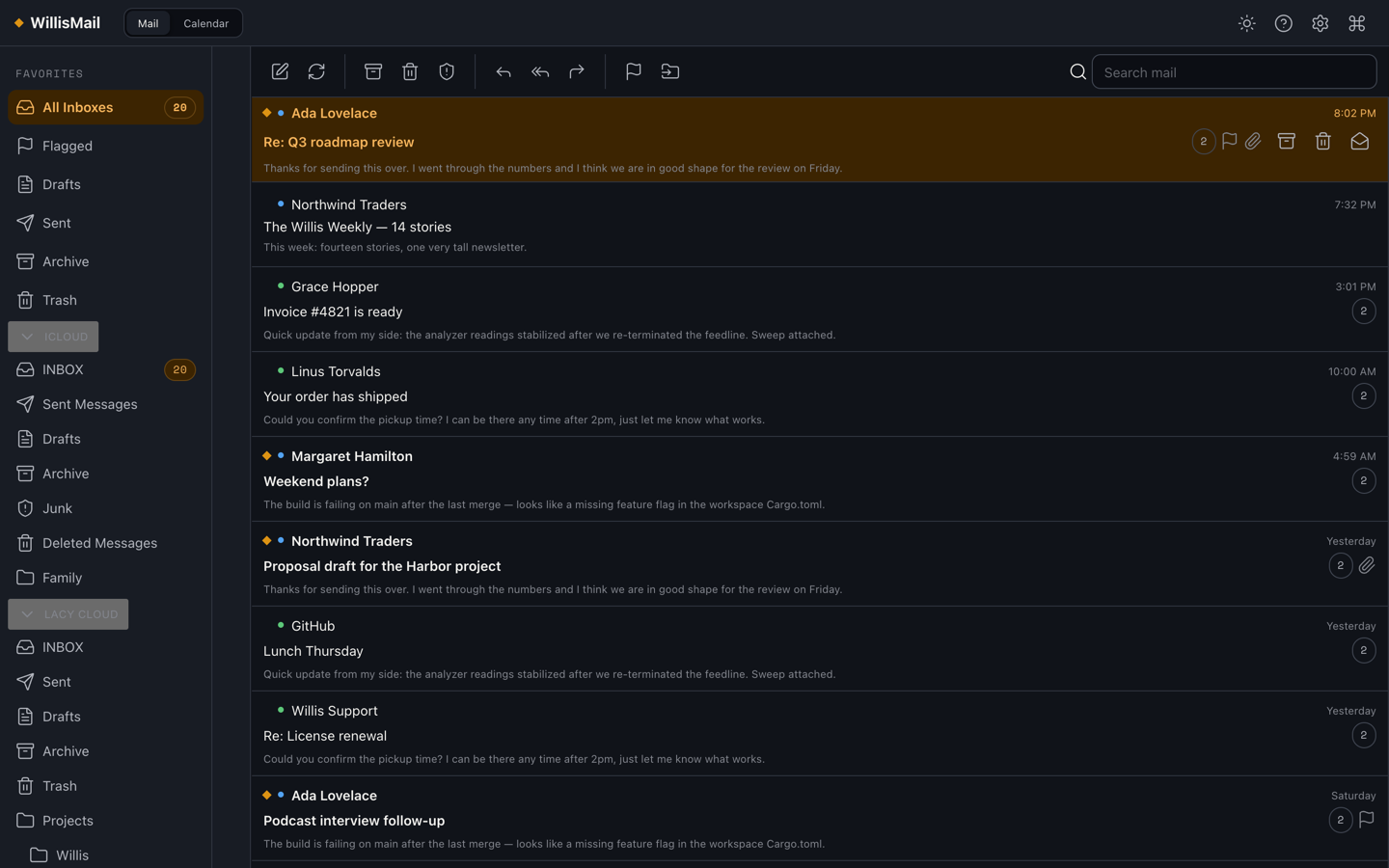
Add as many accounts as you like and read them in one unified inbox.
iCloud
Mail, calendars and contacts with an app-specific password. On a Mac, WillisMail can also use the Apple Contacts already on your machine.
Gmail & Google Workspace
Sign in with Google, or use an App Password. Your Google calendar comes along too, and so do the addresses you send from.
Microsoft 365 & Outlook.com
Sign in with Microsoft for mail, your Outlook calendar and your Outlook contacts. On a work or school account, your IT admin approves WillisMail once for your organization.
Everyone else
Any IMAP/SMTP mail server, CalDAV calendar or CardDAV address book — Fastmail, Nextcloud, Mail-in-a-Box, Radicale, your company’s own server.
Email that keeps up with you, and keeps your mail to itself
It never makes you wait. WillisMail reads a local copy of your mailbox, so every action — archive, flag, snooze, move, delete, send — happens instantly and is replayed to the server in the background. A bad connection can’t undo what you did or hide what you had, and search works on a plane. Arrow through an inbox, press e to archive, r to reply. It feels like a native app because it is one: the engine is written in Rust.
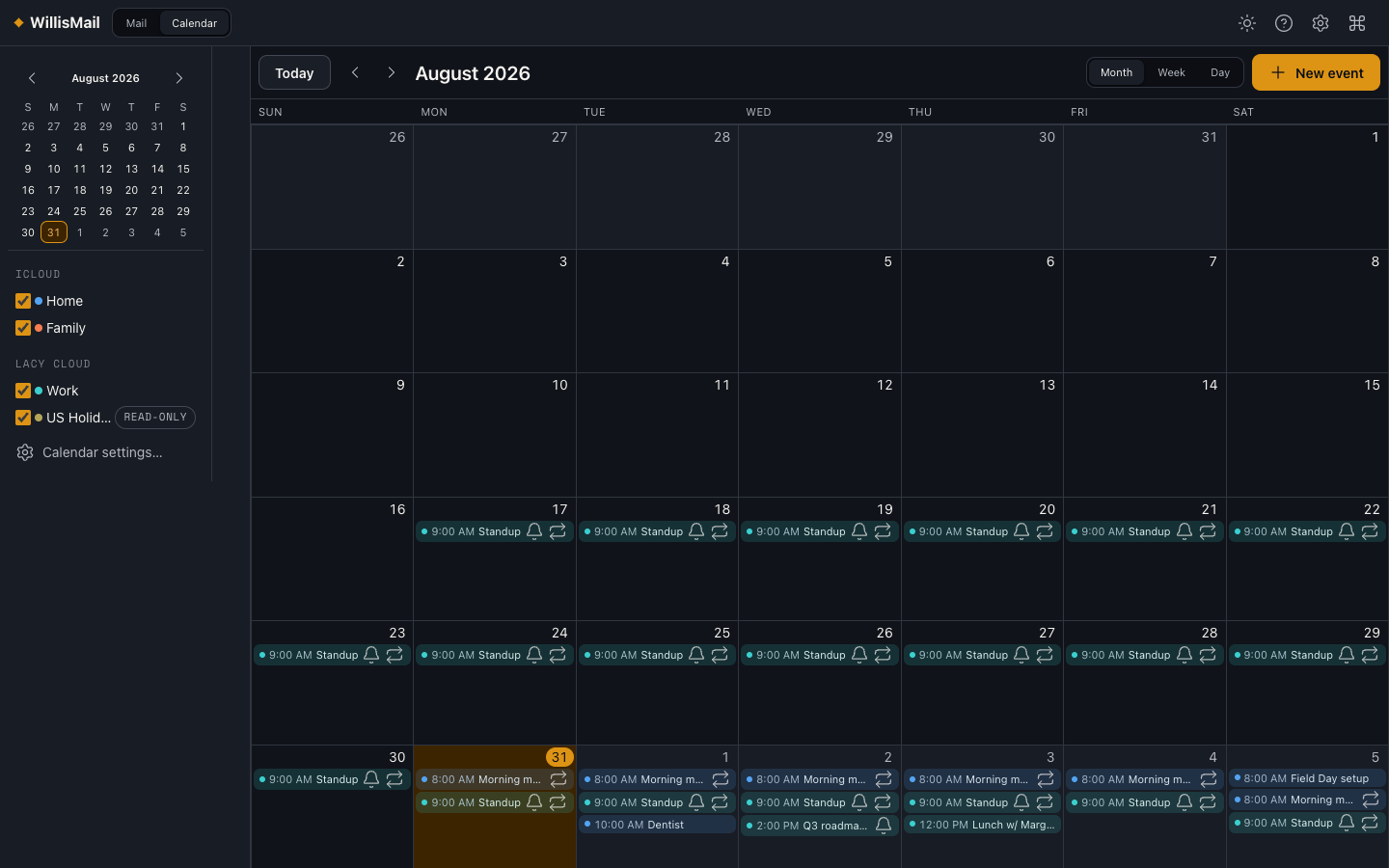
Mail, calendar and contacts that know about each other. A meeting invitation is answered from the message it arrived in. A message becomes a follow-up on your calendar. The people you write to are suggested as you type, with their names and pictures, from your address books and from the mail you have already sent.
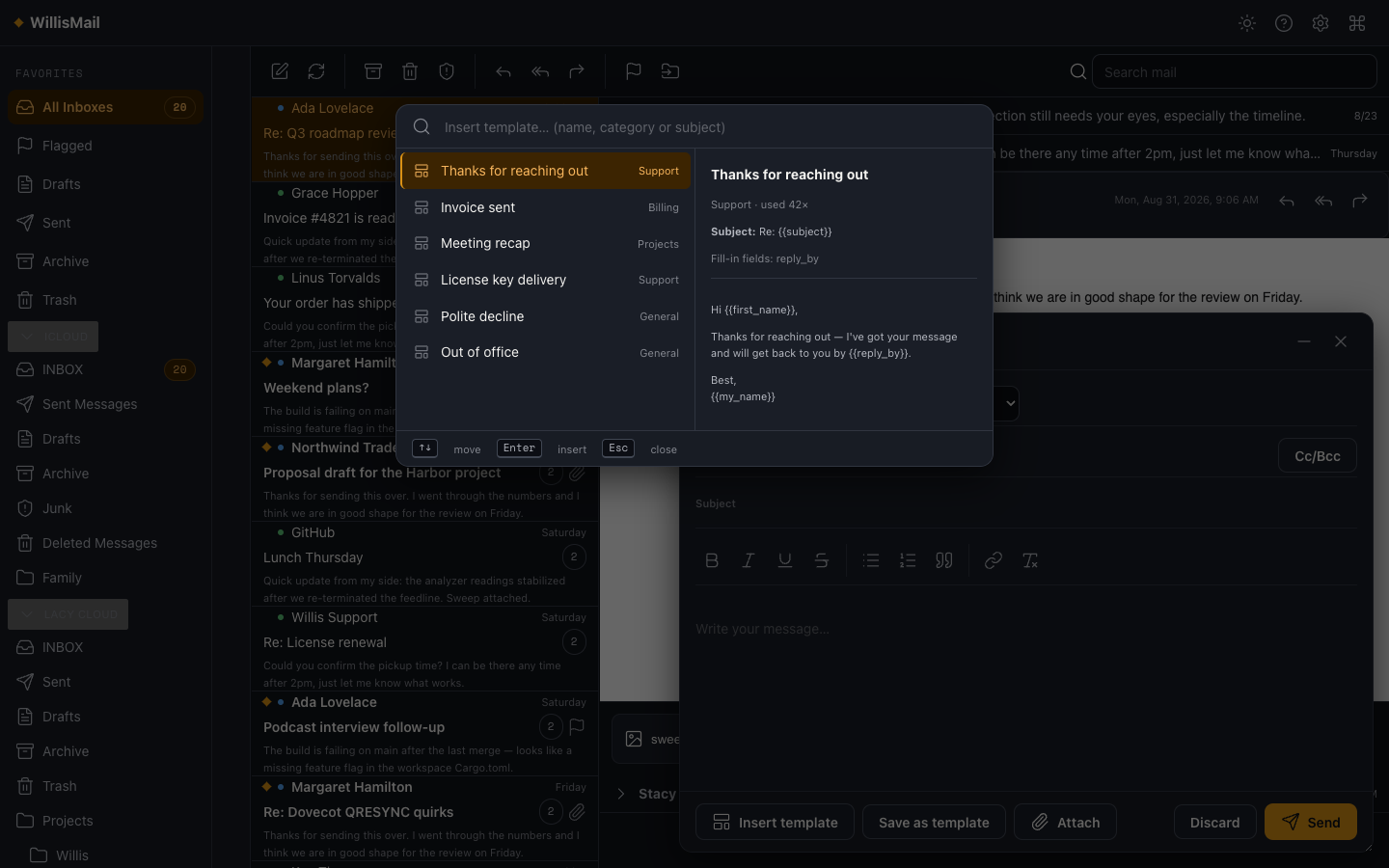
The messages you write more than once. Most people have a dozen emails they send over and over — the quote, the follow-up, the polite no. WillisMail gives them a proper home: a template library with fill-in fields you Tab through, variables that fill themselves in, and shortcuts that expand as you type.
Private by construction. Your mail, calendars, contacts and templates live on your device. Passwords and sign-in tokens go in your operating system’s keychain. HTML mail renders in a locked-down sandbox with remote images blocked until you say otherwise. No telemetry, no analytics, no account with us.
A clean, crisp layout that stays out of your way
The slate-and-gold Willis theme in dark mode (light mode ships too, with 11 accent colours). Drag the dividers to size each pane, hide the reading pane altogether, and set the text size with ⌘+ and ⌘−. Screens shown with sample data.
A complete mail, calendar and contacts app, kept fast
Accounts, reading, triage, writing, templates, calendar, contacts — and the privacy story that ties them together.
Your accounts
- iCloud, Gmail & Google Workspace, Microsoft 365 & Outlook.com, Fastmail, any IMAP/SMTP server
- Sign in with Google or Microsoft — no password handed over
- Several accounts, one unified inbox
- Several sending addresses per account, each with its own signature
- Move messages between accounts — drag them, or choose Move To
- Credentials only in your OS keychain; TLS on every connection
Offline-first sync
- A local copy of your mailbox, always readable
- Every action applies instantly and replays later
- Work Offline holds changes until you say go
- Push on desktop for near-real-time mail
- A sync indicator that says what is waiting, and why
Reading, safely
- Conversations, sanitized HTML in a sealed sandbox
- Remote images blocked until you allow them — once, or per sender
- Links checked against where they really go
- Click a name to see the real address behind it — with a warning when a name looks like a different address
- A badge on senders you’ve never written to; warnings on risky attachments
- Copy a link’s real address, or the destination inside a Safe Links wrapper
- One-click unsubscribe, print, save as HTML
Keyboard-first triage
j/kmove,earchive,sflag,bsnooze,vmove,zundo- Snooze mail until you’re ready for it
- Rules file new mail; blocked senders go to Junk
- Instant offline search with
from:,has:attachment,before:… ⌘Kcommand palette reaches every command and setting
Writing
- Compose in its own window, or a sheet if you prefer
- Rich or plain text, attachments by drag-and-drop
- Recipient suggestions from your contacts and your mail
- Undo send and send later
- A gentle check before you send when something looks off — like a mentioned attachment that isn’t there
Templates
- A library of the messages you send repeatedly
- Variables fill themselves: first name, today’s date, your signature…
- Fill-in fields, defaults and choice lists you Tab through
- Shortcuts that expand as you type; attachments included
- Sync the library between computers through a folder on one of your accounts
Calendar
- iCloud, Google, Outlook and any CalDAV calendar
- Calendars kept only on this computer, and subscriptions to published ones
- Month, week, day and agenda views; repeating events; reminders
- Invitations answered and sent
- Turn a message into a follow-up
Contacts
- Apple Contacts on a Mac — read and, unless you turn it off, edit
- CardDAV address books on every device; Outlook contacts for a Microsoft account
- Full cards: addresses with Open in Maps, birthdays and other dates, websites, social profiles and notes
- Show just the address books you want; search by name, city, job or note
- Groups you can address in one go;
.vcfimport and export
Private by design
- No server of ours, no account, no telemetry, no ads
- Mail, calendars and contacts stay on your device
- No update check, no crash reporter, no link-scanning service
- Sender tracking pixels blocked by default
- Read the WillisMail Privacy Policy
An AI assistant for your inbox, on your terms
WillisMail will let an AI assistant on your computer — Claude Desktop, Claude Code, the ChatGPT desktop app, Gemini CLI, GitHub Copilot, or an editor such as Cursor or VS Code — search and read your mail, draft replies, file messages, and look at your calendar and contacts, through the Model Context Protocol. It is off until you turn it on.
You let it in
- Off until you turn on Allow AI assistants
- You approve each assistant the first time it connects
- Remove an assistant any time to cut it off
- Copy setup prompt — paste it into your assistant and it connects itself
Six switches, your call
- Read and Draft start on — drafting never sends
- Organize, Send, Delete and System access start off
- Sends go only to people you know, a few an hour, with two minutes to cancel
- Never touches your accounts, passwords, or its own settings
Every action on the record
- Activity lists what an assistant did or tried for 30 days
- Undo an assistant’s change like your own
- Mail reaches it as plain text, hidden text stripped
- A private connection on your computer — no server of ours
Desktop only — arriving on Mac, Windows and Linux once it clears App Store and Microsoft Store review. What an assistant reads goes to that assistant’s provider under its own terms — choose a model that runs locally if you want it to stay on your machine. Privacy Policy
One-time purchase. No subscription.
$14.99 on each platform, from the store you already trust. No account required.
U.S. prices. Each platform is a standalone, one-time purchase sold through its own store. We don’t offer a cross-platform bundle — verifying one would require us to know who you are. We don’t. That’s the point. Read our Privacy Policy →